1
Predict
Students formulate a research question and a hypothesis.
Project Wind
The Wind Project has students build a wind turbine and use a micro:bit to investigate the electrical energy it generates.
How does it work?
The assignment guides students through the same steps as a small investigation: predict, build, calibrate, measure, compare and conclude. The app runs as a normal website and works with WebSerial in Chrome or Edge. No installation, no student accounts.
Students formulate a research question and a hypothesis.
The micro:bit sends live data to the browser. The app shows voltage, current, power and energy.
Multiple trials come together in one graph and in a PDF report that students can submit.
The setup
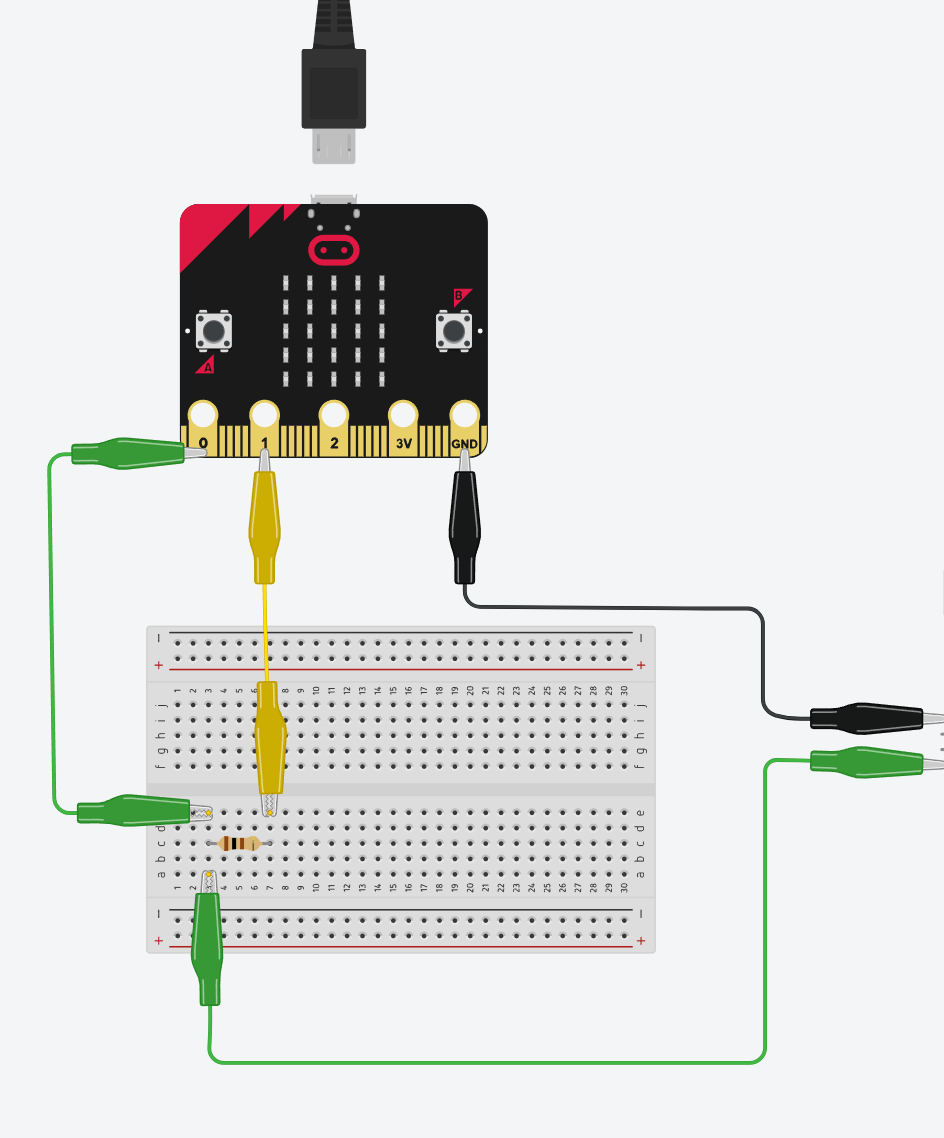
The wind turbine becomes a generator. The micro:bit reads voltage and current, after which the browser calculates how much power and energy the setup produces.
What will you learn?
Students see how the turbine generates energy, how the micro:bit measures and how that data is visualised.
We visualise both concepts through graphs and connect them to a familiar case: charging your smartphone.
The app makes visible what P = V * I en E = som(P * dt) mean.
Students compare trials and write a conclusion based on data.
Place in the learning path
The platforms build computational thinking. The projects use that thinking in a cross-curricular assignment in which students build, measure, test and conclude.
For teachers
The assignment is made for students around 13-14 years old. The interface helps them step by step without pulling attention away from the physical wind turbine.
This project does not use its own analytics or advertising cookies. Input, progress and measurement data are processed in the browser and may be stored locally on the device. A download or export occurs only when the user initiates it. Connected hardware is accessed only after permission is given in the browser. GitHub Pages logs visitors’ IP addresses for security purposes; external services are governed by their provider’s privacy policy.
Original project material by Robbe Wulgaert may be used, copied and adapted free of charge for education, provided that ‘Robbe Wulgaert – AI in de Klas’ is clearly displayed, where reasonably practical with a link to the original project. Commercial sale, paid distribution, sublicensing or repackaging as a commercial product is not permitted without prior written permission. Other uses outside education also require prior written permission. Third-party components remain subject to their own licences.
Start measuring, test the demo mode or let students compare and report their trials.